Protein Preparation Guide
This guide uses a fixed project, tutorial-1A2C-thrombin, and the example structure is RCSB PDB 1A2C. The goal is to complete a reproducible CADD protein preparation workflow: import the co-crystal structure, inspect chains and HETATM components, select a reference ligand, define a pocket, generate a prepared protein asset, and pass the output to subsequent docking, FEP, and molecule generation workflows.
Case source: RCSB PDB 1A2C, DOI: 10.2210/pdb1A2C/pdb. The web module itself only displays open-source code and algorithm references; the tutorial case source is only documented in this guide.
What this module does
- Import a PDB ID or local PDB/mmCIF file.
- Inspect protein chains, co-crystal ligands, metals, waters, and other HETATM components in the 3D view.
- Define a pocket asset from a co-crystal ligand or manual coordinates.
- Remove unwanted chains, ligands, waters, or duplicate chains.
- Generate a
prepared_proteinasset for reuse by docking, FEP, and molecule generation modules.
1. Open the fixed tutorial project
After logging in with admin / admin123456, select or create the following in the top-right project menu:
tutorial-1A2C-thrombin
Enter the Protein Preparation page. The left side contains import and preparation parameters; the right side is the 3D main workspace.
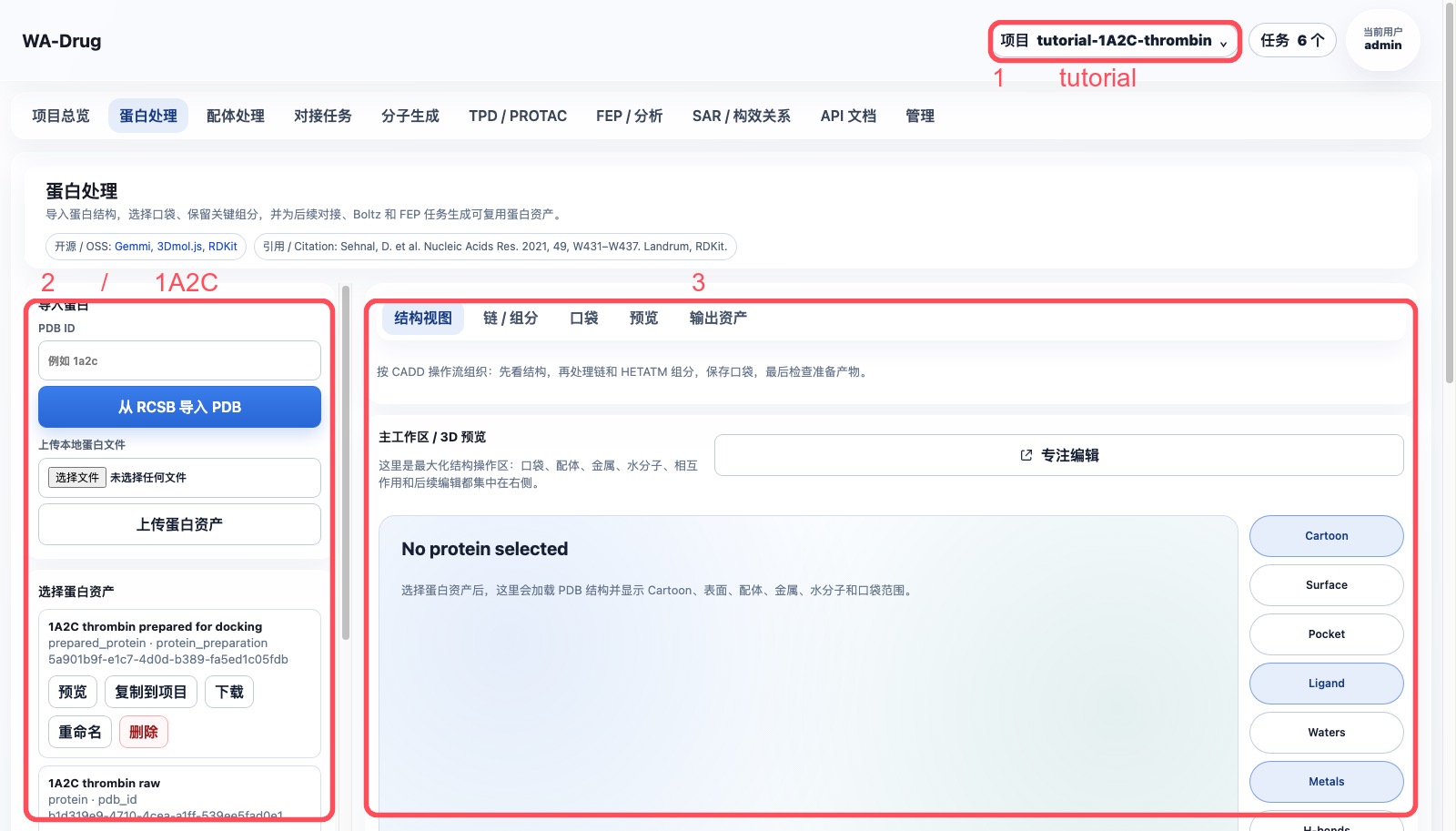
2. Import 1A2C and select the protein asset
If the project does not yet have a raw structure, enter the following in the PDB ID field on the left:
1a2c
Click Import PDB from RCSB. After successful import, select 1A2C thrombin raw and click Preview.
Recommended asset names:
| Stage | Recommended name | Type |
|---|---|---|
| Raw structure | 1A2C thrombin raw |
protein |
PRJ J:3 active-site pocket |
pocket |
|
| Prepared receptor | 1A2C thrombin prepared for docking |
prepared_protein |
3. Inspect chains, ligands, and HETATM components
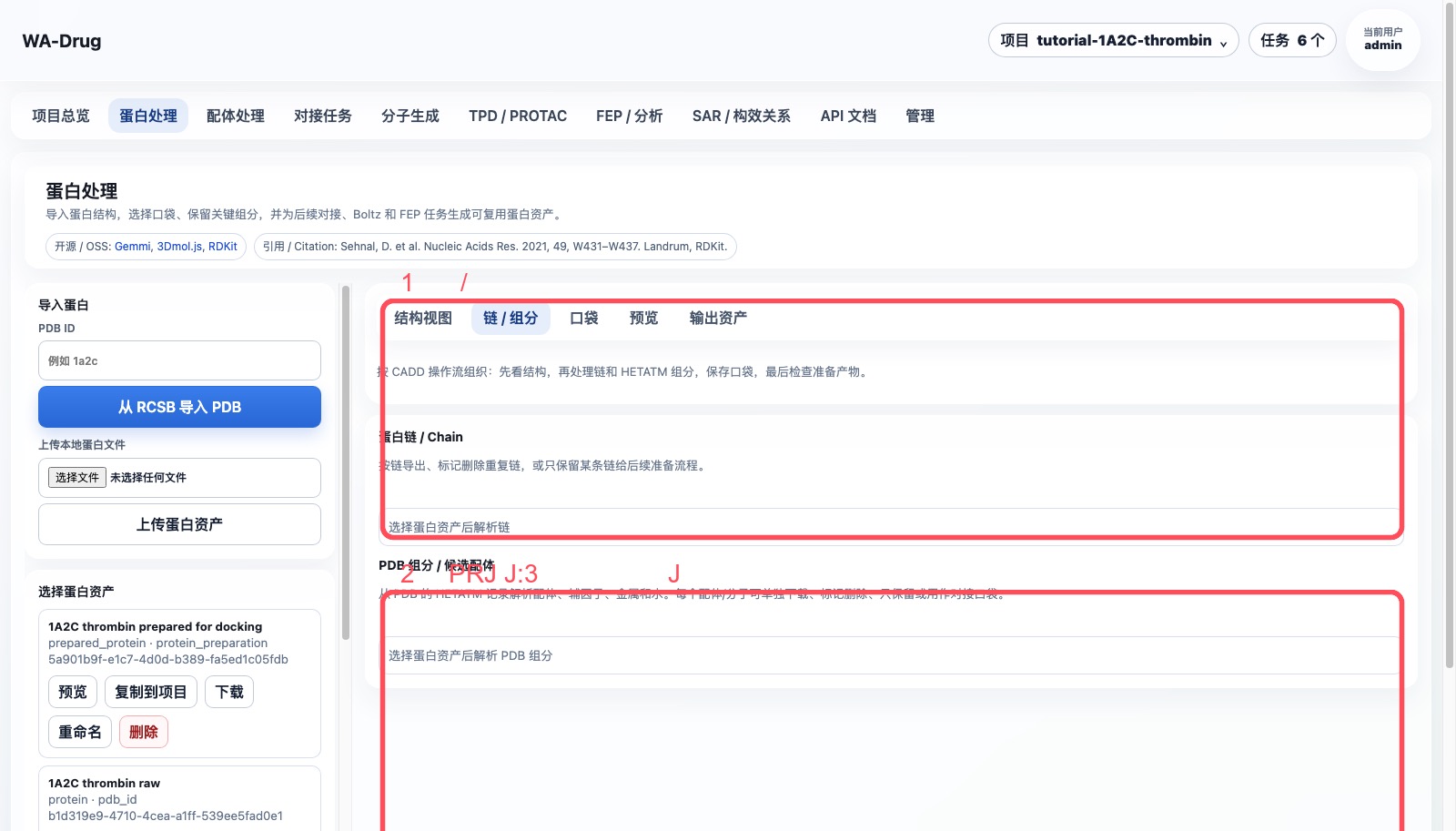
Click Chains / Components in the right-side main workspace. The key objects in this example are:
| Object | Meaning | Recommended handling |
|---|---|---|
Chains H / L |
thrombin receptor chains | Keep |
Chain J |
Aeruginosin 298-A inhibitor chain | Define pocket, then remove from receptor |
PRJ J:3 |
middle fragment of the inhibitor | Recommended as pocket center |
34H J:1, OAR J:4 |
terminal fragments of the inhibitor | Can help confirm pocket coverage; can be extracted to ligand library |
TYS I:363 |
modified residue in the hirudin fragment | Not used as the small-molecule pocket center in this example |
NA H:626 |
metal ion | Keep by default |
HOH/WAT |
crystallographic waters | Remove by default; keep key waters separately |
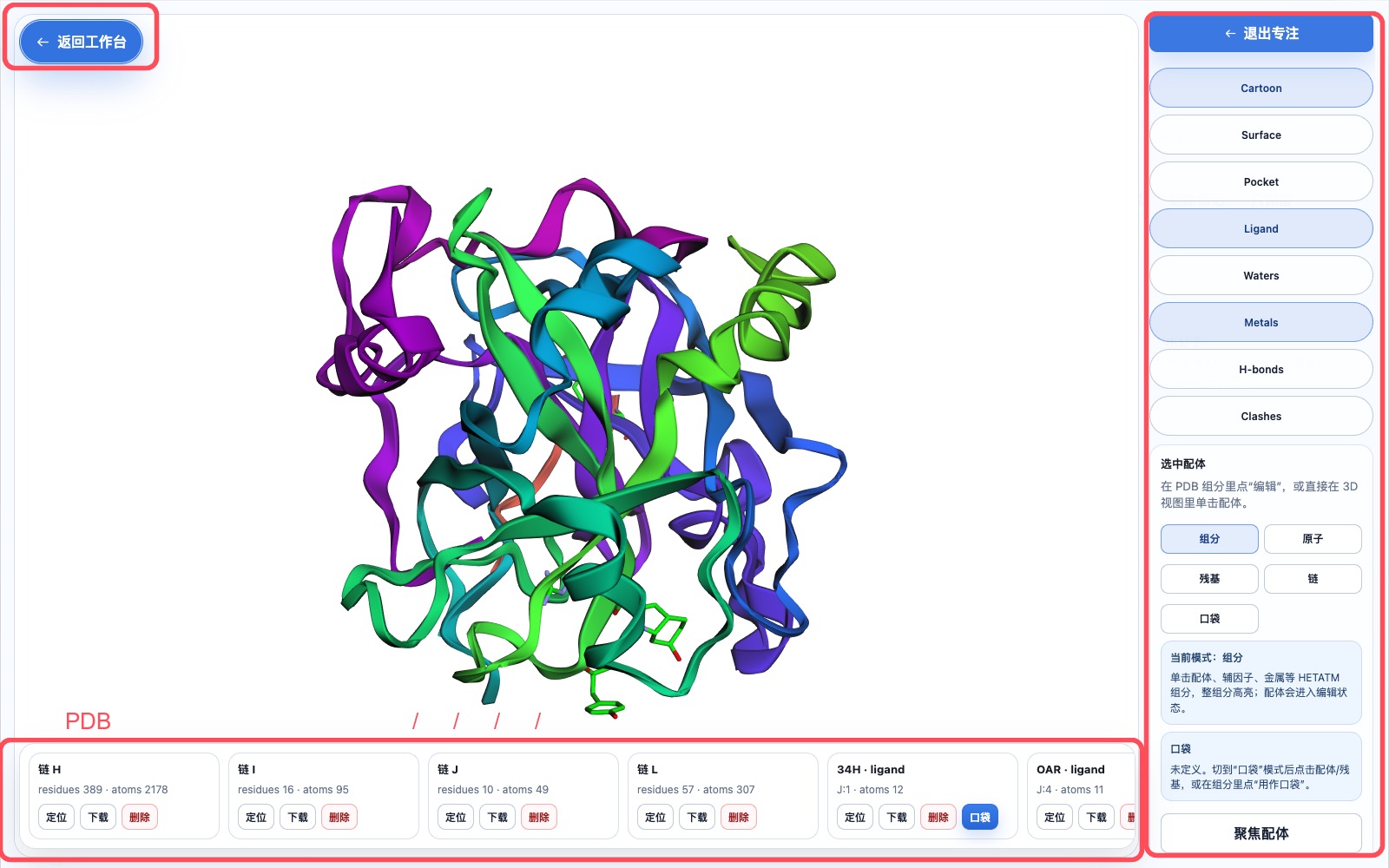
4. Define the pocket using PRJ J:3
Click Pop out as focused edit window, and find PRJ · ligand · J:3 in the bottom horizontal PDB component strip.
Operation sequence:
- Click
Locateon thePRJ J:3card to confirm it is in the active site. - Click
PocketorUse as pocket. - Enable the
Pocketdisplay on the right. - Set the box to:
center = 18.54, -14.79, 20.56
box    = 20, 20, 20 Å
For a more conservative box covering the entire Aeruginosin 298-A chain, use 22, 22, 22 Å instead. When adjusting the center and size, you should see the blue box cover the co-crystal ligand region in real time.
5. Prepare the receptor
Return to the Protein Preparation page, and in CADD protein preprocessing, select the raw protein asset 1A2C thrombin raw.
Recommended parameters:
- Remove crystallographic waters: on.
- Keep metal ions: on.
- Keep cofactors/covalent ligands: enable as needed by the task; this example will remove the original inhibitor chain
J. - pH:
7.4. - Chains to remove:
J; if only studying the thrombin small-molecule pocket, you can also removeI. - Reference ligand/residue:
PRJ J:3. - Output name:
1A2C thrombin prepared for docking.
Click Generate prepared protein asset. A protein_preparation task will appear in the task center, with status showing as queued, running, completed, or failed at each step.
6. How outputs feed into subsequent steps
Upon completion, you will have two core assets:
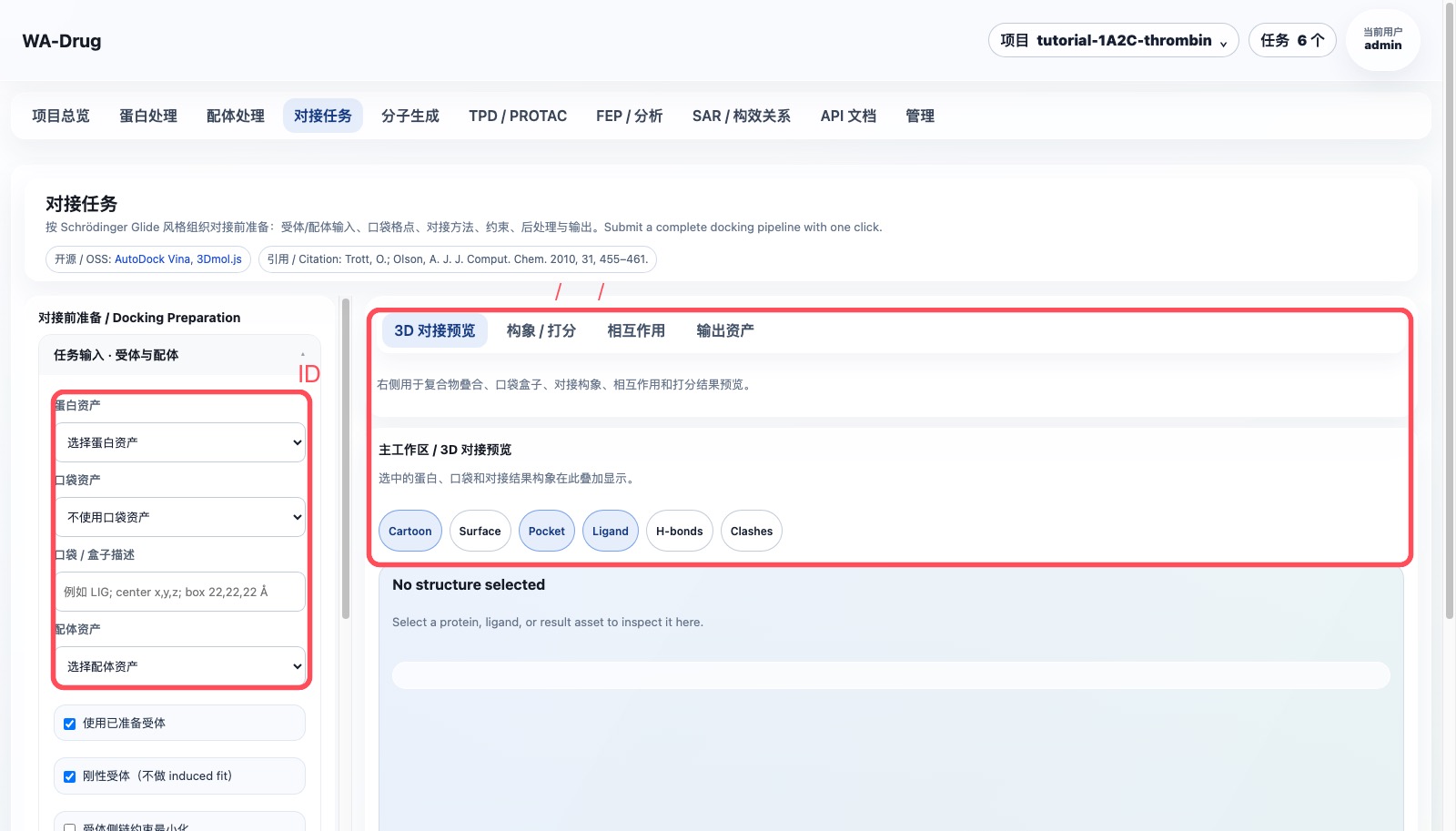
prepared_protein:1A2C thrombin prepared for dockingpocket:PRJ J:3 active-site pocket
These assets are selected by name from dropdown lists in the Docking tasks page; no need to manually enter IDs.
7. Handling failed tasks
If a task fails:
- Open
Tasksin the top-right corner. - Click
View progresson the failed task to confirm the failed step and error. - If intermediate files have been generated, click
Clean output. - Fix the input and resubmit; the old task record is retained for traceability.
8. Server6 Example: 1TA2 176 ligand pocket
This example was completed in the Example project on server6. The target is the thrombin complex 1TA2, with the co-crystal small molecule 176 A:401 selected as the reference ligand and pocket center.
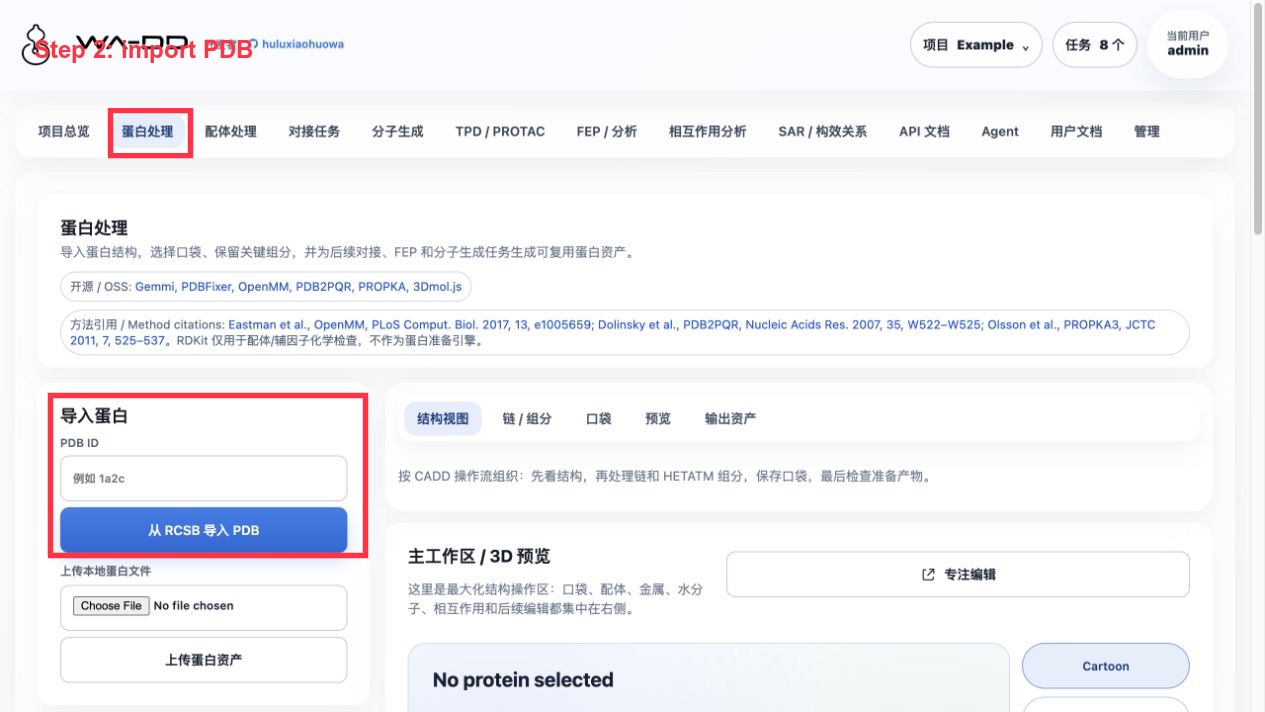
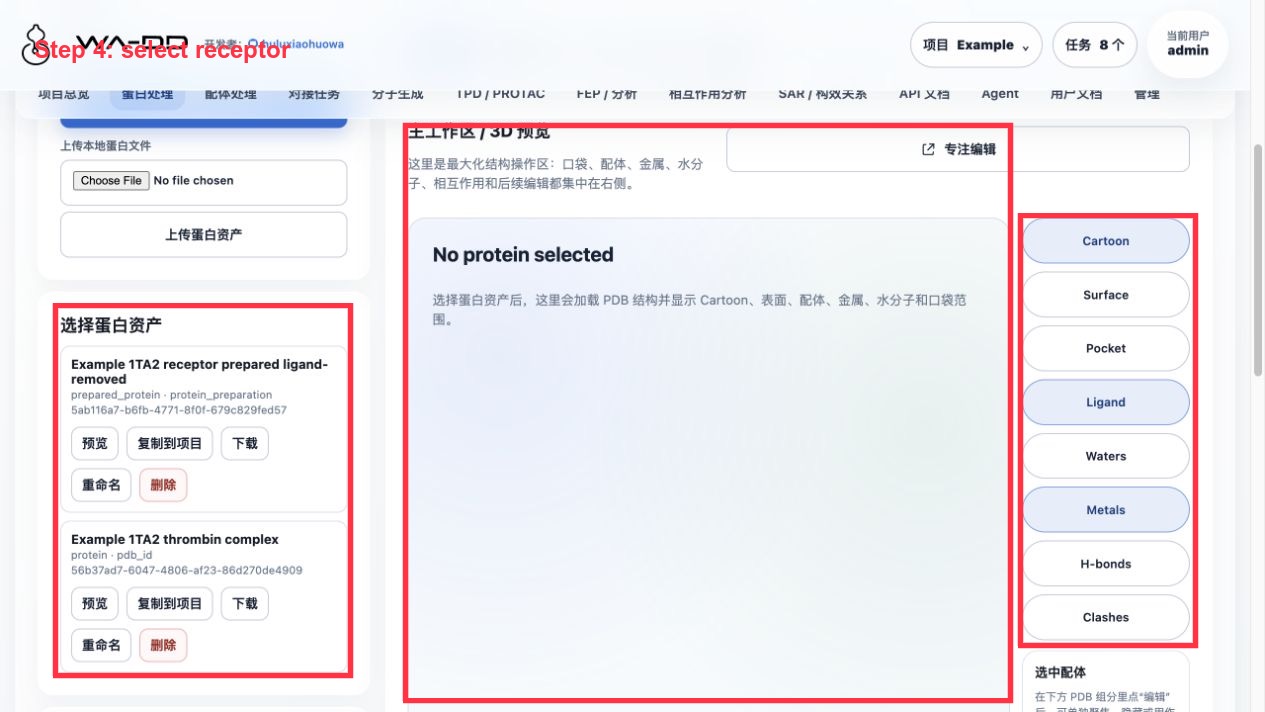
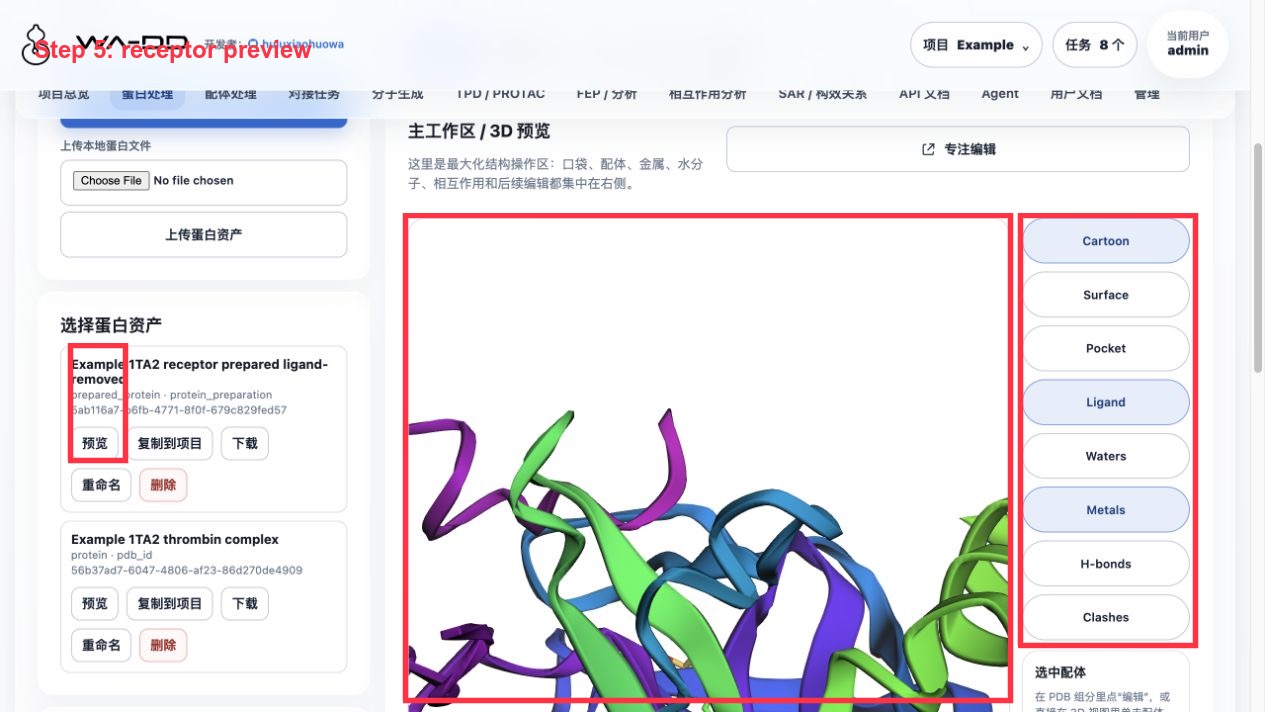
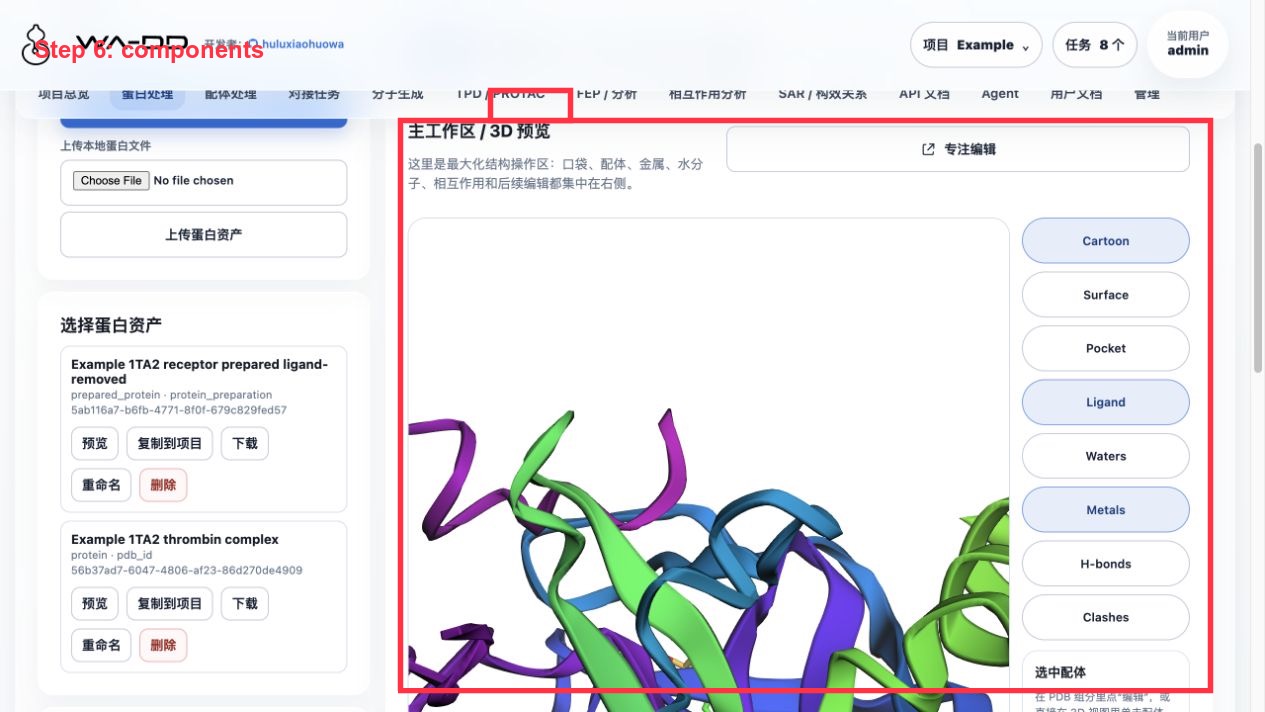
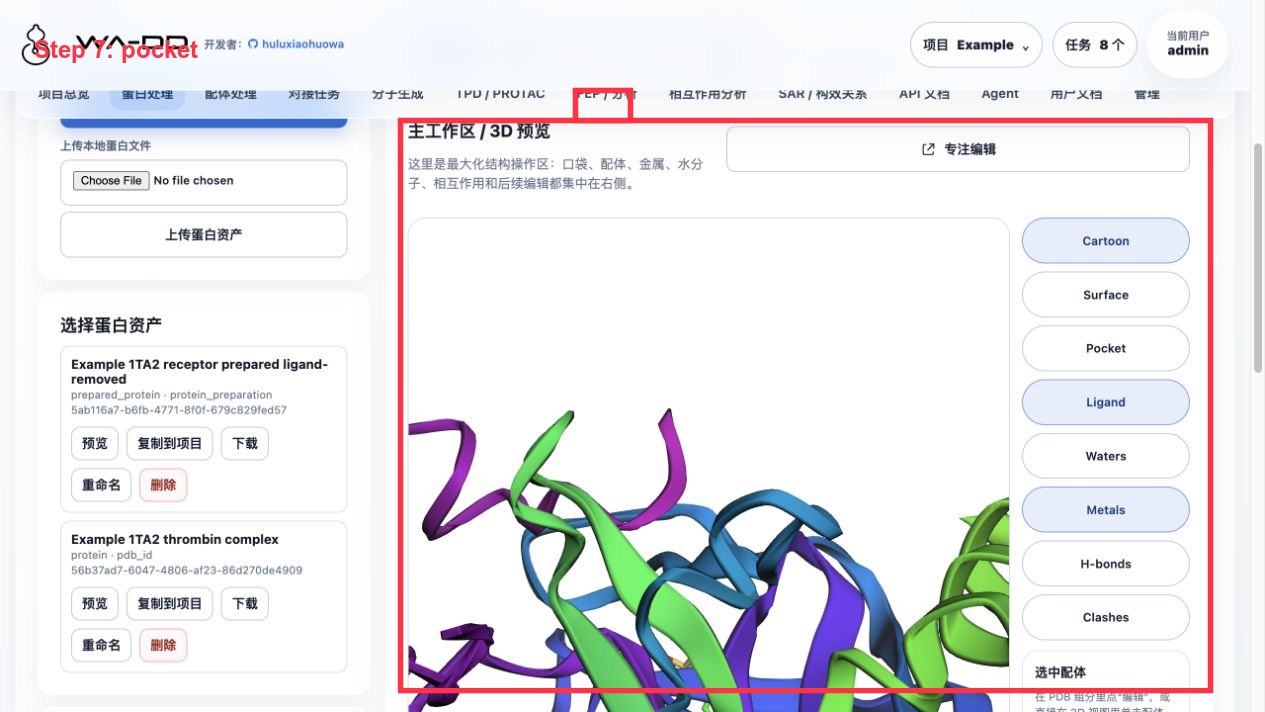
Operation steps:
- Enter "Protein Preparation".
- Download
1TA2from PDB, name itExample 1TA2 thrombin complex. - Locate
176 A:401in the component list. - Extract
176 A:401as a reference ligand asset:Example 1TA2 reference ligand 176. - Extract a pocket asset centered on
176 A:401:Example 1TA2 176 binding pocket. - Run protein preparation with output name
Example 1TA2 receptor prepared ligand-removed.
Preparation parameters for this example:
- Remove crystallographic waters: on.
- Keep metals: on.
- Keep cofactors: off.
- Add hydrogens: on.
- Repair missing atoms: on.
- pH: 7.4.
- Remove reference ligand
176 A:401from the receptor to prevent the pocket from being occupied by the original ligand during subsequent docking.
Result inspection:
- The prepared protein asset should be
prepared_proteinand no longer contain176 A:401. - The reference ligand is retained as a separate ligand asset and can be reused in ligand processing, interaction analysis, or subsequent FEP design.
- The pocket asset stores the center, box size, and pocket PDB; subsequent docking and molecule generation both reuse this single pocket definition.