WA-DD
Developer: huluxiaohuowa · This project is still under development. For testing access, contact qhulu@outlook.com (only academic/research institutions and universities are accepted; commercial use is not available at this time).
An Integrated Molecular Design Workbench for Drug Discovery
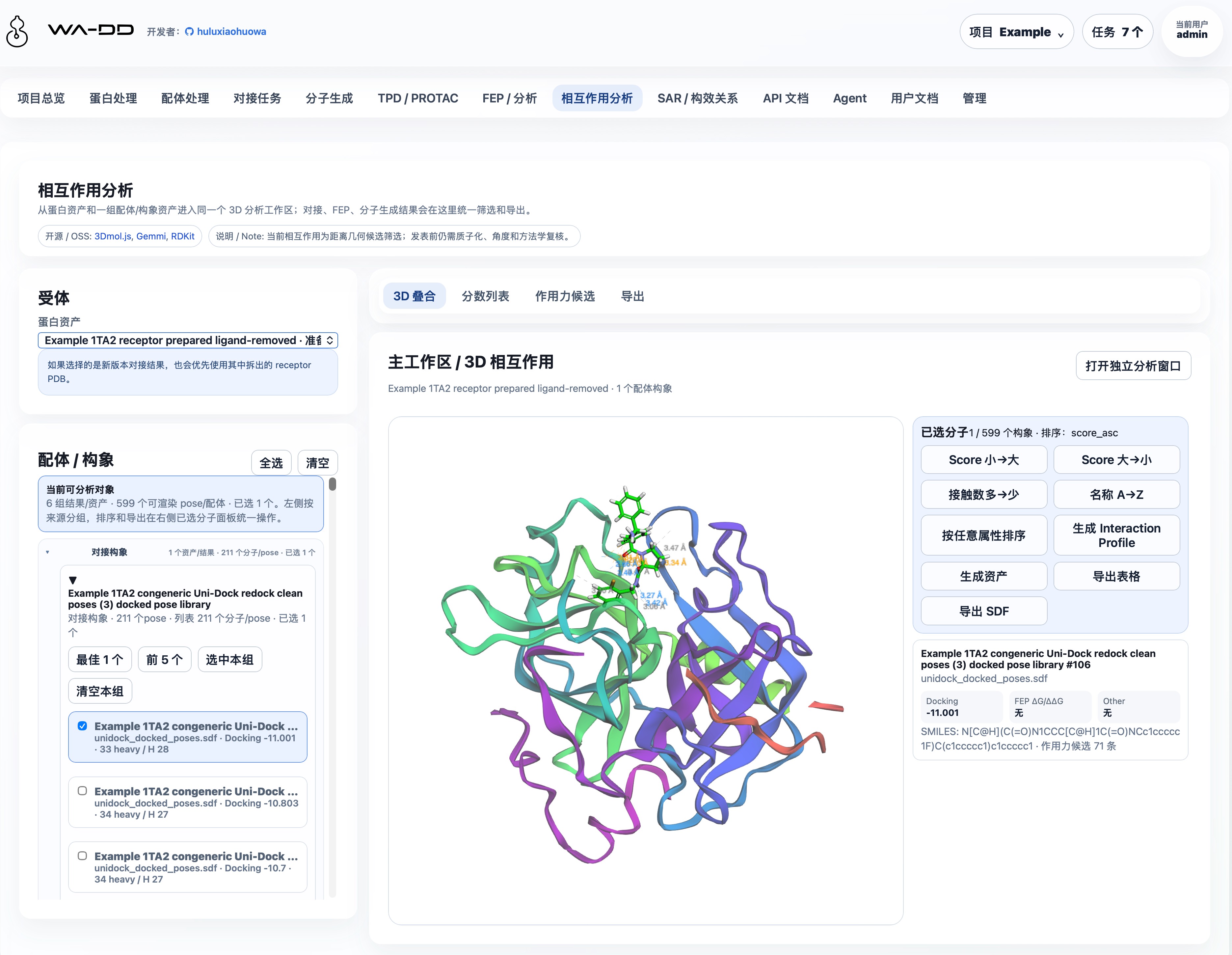
WA-DD is an integrated molecular design workbench for Computer-Aided Drug Design (CADD) researchers. It unifies target-protein preparation, ligand preparation, molecular docking, molecule generation, FEP/RBFE production free-energy calculation, and interaction analysis in one browser interface.
From PDB import and ligand-library preparation through Uni-Dock screening, PocketXMol generation, FEP planning, and 3D interaction inspection, WA-DD keeps every intermediate result as a reusable asset—so you can focus on drug design rather than toolchain integration and switching.
Core Values
- Connected workflows: Available workflows cover protein preparation, ligand preparation, docking, molecule generation, FEP/RBFE production calculation, and interaction analysis
- Asset-based management: Proteins, pockets, ligands, docking pose libraries, FEP-derived SDFs, and reports are reusable, traceable, API-addressable assets
- Flexible deployment: Supports x86 NVIDIA and Jetson Thor ARM64 platforms, balancing performance and edge computing
- Open ecosystem: Integrates with Uni-Dock, Vina, OpenFE, OpenMM, and other mainstream CADD tools
Feature status
Status is based on whether a user can complete an end-to-end task in the current WebApp. "Planned" modules must not be treated as production-ready functionality.
| Status | Modules | Available scope |
|---|---|---|
| Available | Projects and assets, protein preparation, structure prediction, ligand preparation, docking tasks, molecule generation, interaction analysis | Create and reuse assets, submit jobs, and inspect, filter, export, or download outputs. |
| Available | FEP / RBFE production calculation | Real ΔG/ΔΔG free energy calculations via OpenFE + OpenMM (CUDA); choose dry-run planning or full production simulation; output edge result tables, FEP-annotated SDF, and trajectory files. |
| Available | GROMACS / MD | EM, NVT, NPT, production MD, aMD, Metadynamics, Umbrella, binding analysis, cryptic-pocket discovery, and trajectory post-processing job types; checkpoint resume is supported. |
| Available | Model Zoo, TPD / PROTAC, Agent / Pi, administration, system resources, user docs, API docs | Download and update project models centrally; submit DeepTernary structural-modeling jobs; manage personal Agent sessions and model settings; administer users/jobs; browse module guides and the API contract. |
| Planned | SAR | Documentation describes the intended scope, but no submit-ready workflow is available. |
Available now
- Projects and assets: isolate projects, assets, jobs, and files per user. Assets can be previewed, downloaded, renamed, deleted, and copied to another project. The UI is name-first: users select by asset name, type, and source instead of memorizing raw IDs.
- Protein and ligand preparation: import PDB ID/local PDB or SMILES/SDF/MOL/MOL2/PDB, inspect structures in 3D, define pockets, edit molecules with Ketcher, and run protein or ligand preparation. Ligand assets are grouped by source, including raw ligands, prepared ligands, docking poses, molecule-generation outputs, and FEP outputs, and can be opened in 2D/3D, sorted, filtered, merged, or exported.
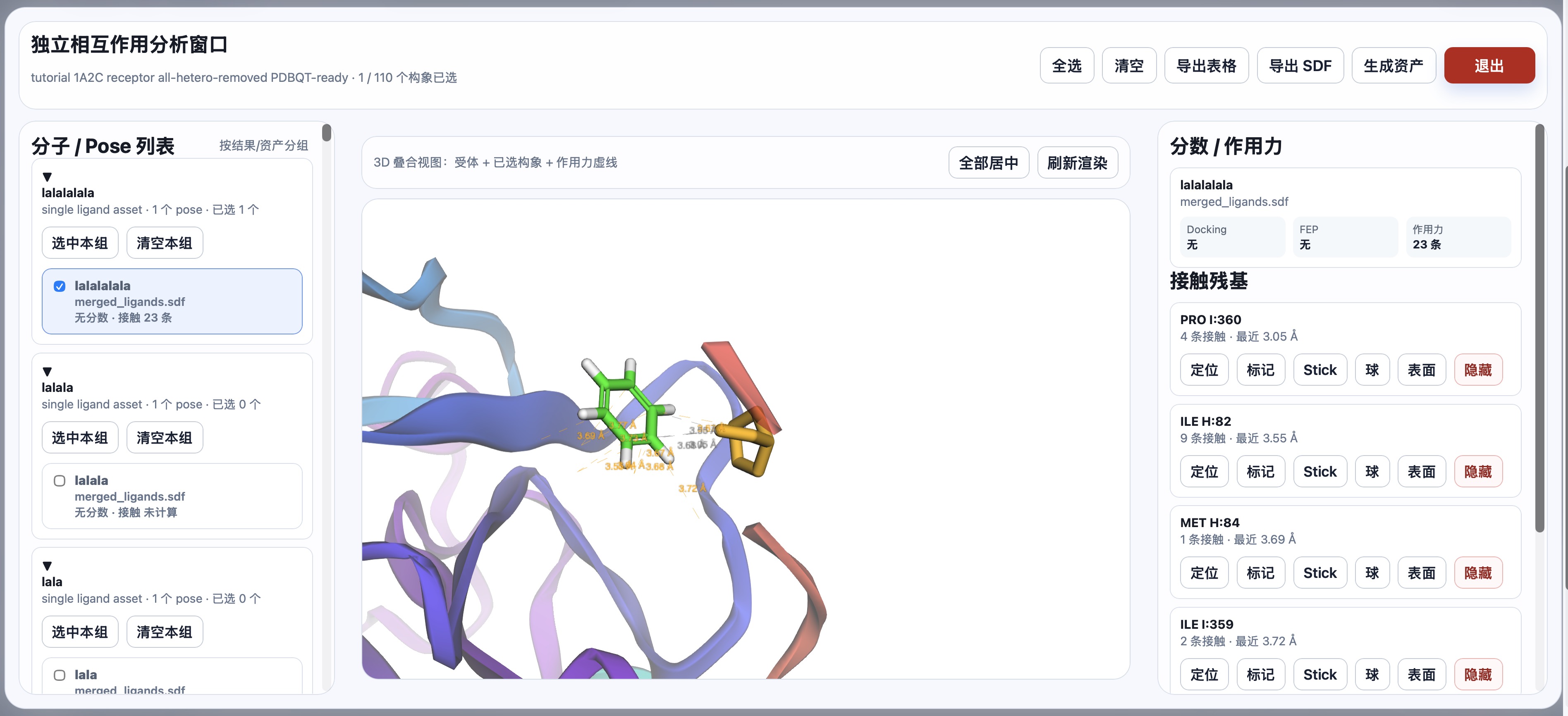
- Docking and interaction analysis: submit Uni-Dock GPU docking jobs (Vina/Vinardo scoring). Each docking task emits one merged SDF pose library plus reports. Interaction analysis can compare selected poses from docking, generation, or FEP outputs, inspect geometric contacts, export tables/SDF, or save a new selected-poses asset.
- Structure prediction: four engines are available: OpenFold3, ESMFold, Boltz-2, and Chai-1. ESMFold suits fast single-chain prediction; OpenFold3, Boltz-2, and Chai-1 support multi-component or complex candidates. Model files are managed by Model Zoo and outputs are registered as structure assets.
- Molecule generation: PocketXMol provides pocket de novo generation and fragment growing. Results are reusable
prepared_ligandorprepared_ligand_libraryassets.Scaffold hoppingandlinker designrequire an atom-anchor selector and are not available yet. - FEP / RBFE production calculation: real relative binding free energy calculations via OpenFE + OpenMM (CUDA). Supports star-topology networks, Lomap atom mapping, dry-run planning preview, and full production simulation. Each edge outputs ΔΔG (kcal/mol), uncertainty, and trajectory files (DCD). Results are summarized as an
fep_resultedge table plus an FEP-annotatedfep_outputSDF. Launch directly from docking pose libraries or prepared ligand SDFs. - GROMACS / MD worker: a GROMACS + CUDA molecular dynamics entrypoint. It supports EM, NVT, NPT, production MD, aMD, Metadynamics, Umbrella, binding analysis, cryptic-pocket discovery, and trajectory post-processing job types. The Web UI exposes structured core parameters, full
.mdp/command/file advanced editors, GPU visibility control, and grouped trajectory/energy/analysis/structure/parameter/log outputs. AMD defaults to CUDA 12.8 and Thor defaults to CUDA 13; Dockerfiles build the latest upstream GROMACS main branch by default, andGROMACS_CUDA_TARGET_SMcontrols the multi-GPU-architecture build target set. - Model Zoo: centrally manages project models, pins PocketXMol and DeepTernary at the top, and supports custom ModelScope / HuggingFace repository downloads. Model paths use a
/data/export/ms|hf/.../currentcompatible layout for later VOS model-hub integration. - TPD / PROTAC: DeepTernary jobs take POI, E3, degrader/MGD, and PROTAC auxiliary PDB assets as inputs and produce a reusable
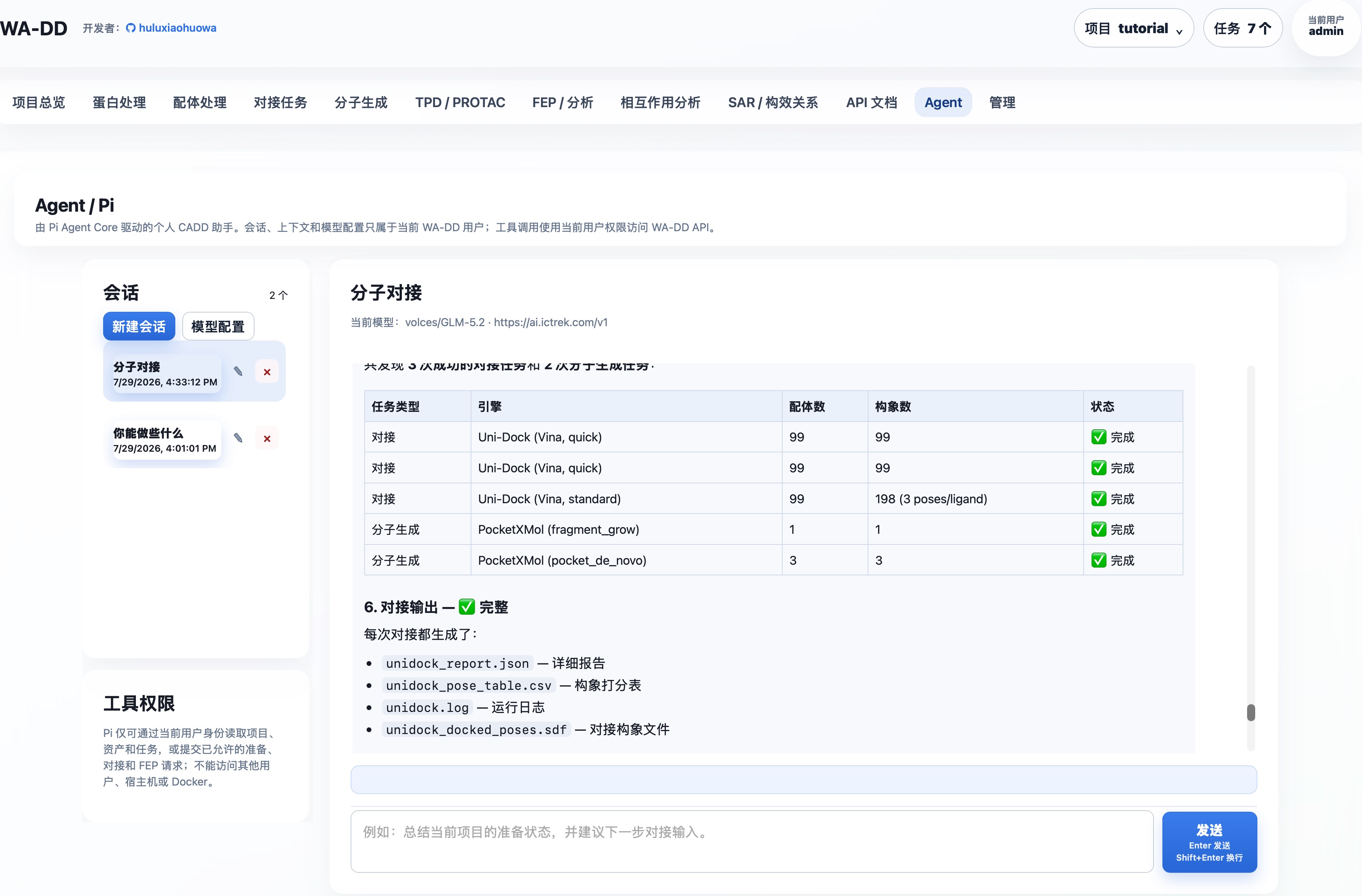
ternary_complexstructural hypothesis. Binary ligand/mask PDB assets can be generated from cocrystal ligands on the protein page or uploaded as PDB assets on the ligand page. - Agent workbench: each user has separate conversations, context, and encrypted model configuration, and can choose Pi or Prime per session. Prime runs on the real
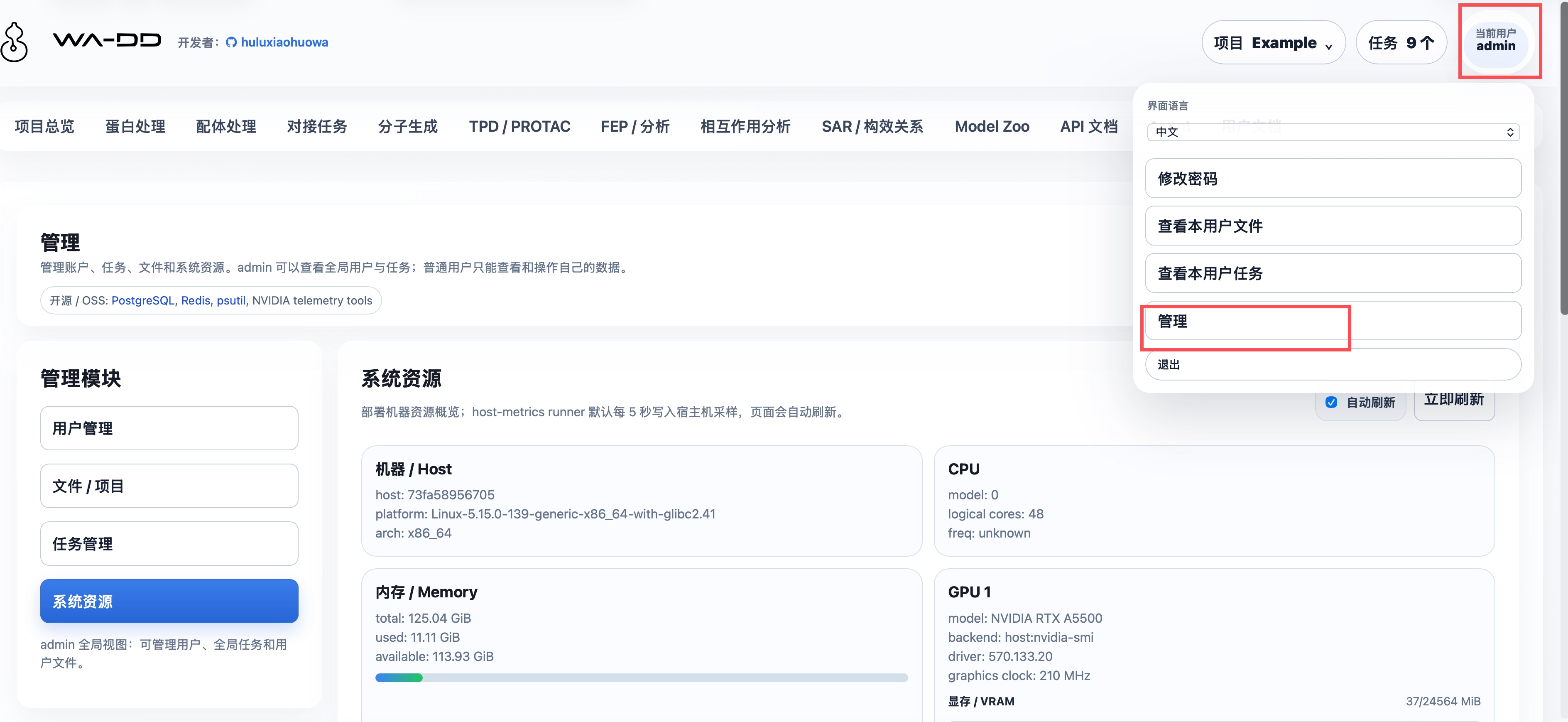
AgentSessionruntime with its built-in terminal tool disabled; both access only the projects, assets, and jobs that user has permission to see through the controlledwa_dd_api. - Administration, user docs, and automation: administrators can approve users and manage global jobs. The system-resources view reports host CPU, memory, disk, and GPU state. The Web image converts
userguide/*.mdinto in-app user documentation. API documentation is generated from FastAPI OpenAPI and supports automation chaining withproject_id,asset_id, andjob_id.
Planned: no business workflow is implemented yet
- SAR / Structure-Activity Relationship: intended for activity tables, R-group analysis, MMPA, SAR visualization, and next-round candidate recommendation.
Interaction model
The global top chrome contains only the app title, project context, task center, user identity, and logout. Project switching, creation, and deletion live in the project menu near the user controls. Job progress lives in the task center as a step timeline, not as a green status bar across the top of the page.
Each workflow module follows the same CADD layout:
- Left side: inputs, parameters, asset selection, and submit actions.
- Right side: the main workspace, 3D/2D preview, editors, output inspection, and download actions.
- Canvas-heavy tools such as the protein 3D editor and Ketcher 2D editor provide a focus mode. Focus mode opens a full-window editing surface and returns to the workbench after saving or exiting.
Persistent storage and cross-container paths
All business containers must mount the same host directory to /data:
Host: ${WA_DD_DATA_HOST_DIR}
Container: /data
Production example:
WA_DD_DATA_HOST_DIR=/data/ssd/jhu/wa-dd-web/data
The web container, protein-prep worker, ligand-prep worker, and future model workers must all use the same in-container paths:
/data/users/<user_id>/projects/<project_id>/assets/<asset_id>/...
/data/model-cache/...
AssetFile.storage_path stores only /data/... paths, never host paths. This keeps upload, worker input, worker output, web download, and cross-step reuse consistent across containers.
/modelhub is a shared model directory and is not used for user project inputs or outputs. The Model Zoo service mounts the same host directory as /data and maintains export/ms|hf/<org>/<repo>/snapshots/... plus the stable current entry. Web and model workers read those models through /modelhub/export/.../current. This layout is compatible with later VOS model-hub integration.
System monitoring uses the same /data mount to pass host metrics into the Web UI:
/data/system-metrics/host.json
The wa-dd-host-metrics runner writes this file every 5 seconds by default. The Web container does not need NVIDIA runtime; it only reads the JSON snapshot. The runner enters the host namespace and collects GPU data with tegrastats or Jetson sysfs first on Jetson/Thor/Tegra hosts, without using nvidia-smi there; x86 NVIDIA uses nvidia-smi, and ROCm uses rocm-smi. If no GPU tool is available, the page explicitly reports that GPU data is not visible instead of fabricating utilization values.
Default account
username: admin
password: admin123456
New users can submit registration requests from the login page. Admin approval is required before they can use the workbench. Later VOS account integration can use the WA_DD_USER_PROVISION_TOKEN protected endpoint to provision user spaces automatically.
Standalone Docker deployment (current)
The standalone deployment package is deploy/. deploy/compose.yaml is the only standalone Compose file. Its only profiles are amd (x86_64 CUDA 12.8) and thor (Jetson Thor CUDA 13+); FEP is included as a profile-specific worker service.
Deployment is handled by deploy/deploy.sh: it queries SWR for the newest tags matching the selected platform and updates images.env in the existing deployment root. runtime.env maps persistent runtime state; deploy only reads and validates it and never creates or rewrites it. deploy/images.env.example defines only the variable shape. build_image.sh builds and pushes images, but never updates a repository or deployment-root image record. CPU components have one Dockerfile each, while GPU components retain separate AMD CUDA 12.8 and Thor CUDA 13+ Dockerfiles. Deployment logic, Compose templates, image variable templates, and default Web environment settings are maintained only under deploy/.
cd deploy
# Edit env.web before first deployment for passwords, ports, and other settings.
./deploy.sh --profile amd --root /absolute/path/to/wa-dd-runtime
For Thor, use --profile thor. The deployment root owns images.env and an existing runtime.env; the latter explicitly maps data, database, Redis, and Model Hub host paths, keeping persistent state out of the source tree. tc232 always reuses /data/vos_workspace; it must not be replaced with a new root. Before a first deployment, run ./deploy.sh --check --profile amd|thor from deploy/ to validate registry discovery and the rendered Compose configuration.
Complete and component updates are both supported:
# Complete update: discover all images and reconcile the entire AMD service group.
cd deploy
./deploy.sh --profile amd --root /data/vos_workspace

# Component update: discover and replace Web only; database, Redis, and workers stay running.
./deploy.sh --profile amd --root /data/vos_workspace --component web

# Other independently replaceable components.
./deploy.sh --profile amd --root /data/vos_workspace --component ligand-prep
./deploy.sh --profile thor --root /data/vos_workspace --component molecule-gen
Components are web, model-zoo, host-metrics, protein-prep, ligand-prep, unidock, molecule-gen, deepternary, openfold3, esmfold, boltz2, chai1, pi-agent, fep, gromacs, and all. Component mode updates only its matching images.env entry and replaces only that service with Compose --no-deps --force-recreate; complete mode continues to discover all images and update the complete service group.
To publish a new image, run ./build_image.sh --profile amd|thor --component web|model-zoo|host-metrics|protein-prep|ligand-prep|unidock|molecule-gen|deepternary|openfold3|esmfold|boltz2|chai1|pi-agent|fep|gromacs|all only in an explicitly chosen build environment. Tags are derived from component GPU capability and pushed to huluxiaohuowa; model-zoo is a CPU component, uses the same Dockerfile.model-zoo, and is tagged only by amd/arm platform; the CPU Pi worker and the DeepTernary TPD / PROTAC GPU component are both included in all, while FEP and GROMACS remain large GPU images that must be built explicitly with --component fep or --component gromacs. GROMACS Dockerfiles build from the latest upstream main branch by default; AMD defaults to GROMACS_CUDA_TARGET_SM=60;61;70;75;80;86;89;90;100;120, Thor defaults to 87;110;120, and either can be narrowed if the selected CUDA image rejects an SM target. The next deploy.sh run discovers and adopts the newest matching tag. Because the current Compose group includes FEP, GROMACS, DeepTernary, and structure-prediction workers, their platform-specific images must already exist in the registry before a first deployment or the deployment script will fail clearly; when no Thor DeepTernary tag exists yet, deploy.sh --check writes the reserved full image name first so the tc81 build can fill it later. Pi persists its configuration and conversations under WA_DD_DATA_HOST_DIR/pi; see Agent / Pi.
Quick Start
First-time deployment:
cd deploy
# Edit env.web before first deployment; the deployment root must be absolute.
./deploy.sh --profile amd --root /absolute/path/to/wa-dd-runtime
Jetson Thor deployment:
cd deploy
./deploy.sh --profile thor --root /absolute/path/to/wa-dd-runtime
After startup, access http://localhost:8800 and log in with the default account:
username: admin
password: admin123456
Supported Components
The selected profile starts the following core components:
| Component | Description | Dependency |
|---|---|---|
| Web UI/API | Main interface and REST API | CPU |
| Model Zoo | Model download, update, and ModelHub-compatible path management | CPU |
| Host metrics | System resource monitoring | CPU |
| Protein prep | Protein preparation (hydrogenation, desolvation, etc.) | CPU |
| Ligand prep | Ligand preparation (RDKit, OpenBabel, Meeko) | CPU |
| Uni-Dock | GPU docking engine (Vina/Vinardo) | NVIDIA GPU |
| Molecule gen | PocketXMol molecule generation | NVIDIA GPU |
| DeepTernary | TPD / PROTAC ternary-complex structural modeling | NVIDIA GPU |
| Structure prediction | OpenFold3 / ESMFold / Boltz-2 / Chai-1 protein and complex structure prediction | NVIDIA GPU |
| FEP | OpenFE + OpenMM free energy calculation | NVIDIA GPU (AMD or Thor) |
| GROMACS | GROMACS + CUDA molecular dynamics, trajectory analysis, and checkpoint resume | NVIDIA GPU (AMD or Thor) |
| Agent workers | Pi / Prime / Jcode agent session runtimes | CPU |
Model cache
WA-DD model files share the same persistent directory layout as Model Hub. Current primary models include:
- PocketXMol (molecule generation):
/modelhub/export/ms/huluxiaohuowa/pocketxmol/current - DeepTernary (TPD / PROTAC):
/modelhub/export/ms/huluxiaohuowa/deepternary/current
The host path is ${MODEL_HUB_SHARED_MODELS_PATH}/export/ms|hf/<org>/<repo>/current. With the standalone compose files in this repository, ${MODEL_HUB_SHARED_MODELS_PATH} is mounted into web/worker containers as /modelhub and into the wa-dd-model-zoo container as /data.
Prefer downloading and updating PocketXMol, DeepTernary, or custom models from the Model Zoo page. The small model cards on the molecule generation and TPD pages still show whether the corresponding model is ready. The command-line equivalent is:
pip install modelscope
mkdir -p "${MODEL_HUB_SHARED_MODELS_PATH}/export/ms/huluxiaohuowa/pocketxmol/snapshots/manual"
modelscope download \
  --model huluxiaohuowa/pocketxmol \
  --local_dir "${MODEL_HUB_SHARED_MODELS_PATH}/export/ms/huluxiaohuowa/pocketxmol/snapshots/manual"
ln -sfn snapshots/manual "${MODEL_HUB_SHARED_MODELS_PATH}/export/ms/huluxiaohuowa/pocketxmol/current"
Expected files:
data/trained_models/pxm/checkpoints/pocketxmol.ckptdata/trained_models/pxm/train_config/train.yml
Model updates do not delete and re-download a ready current directory blindly. Model Zoo writes new downloads into a new snapshot and switches current only after the required files are present. WA-DD and Model Hub use the same directory convention, so models such as huluxiaohuowa/pocketxmol and huluxiaohuowa/deepternary can be read and updated by either system.
The Uni-Dock docking engine is a traditional molecular docking program and does not depend on neural network model files.
API automation
The canonical API contract is generated by FastAPI:
/openapi.json/docs/redoc
The in-app API docs page also reads /openapi.json. Automation chains should pass project_id, asset_id, and job_id between steps:
login
  -> project_id
  -> protein asset_id
  -> pocket asset_id
  -> ligand asset_id
  -> prepared_ligand asset_id
  -> docking job
  -> job_id
  -> output_asset_ids
  -> file download
User guides
Module guides are available under userguide:
- Example 1TA2 full walkthrough
- Projects and assets
- Protein preparation
- 1A2C protein preparation example
- Ligand preparation
- Ligand preparation framework
- Docking tasks
- Molecule generation
- Structure prediction (Chinese)
- Model Zoo
- FEP and analysis
- GROMACS / MD
- Cryptic pocket discovery case
- Interaction analysis
- TPD / PROTAC
- SAR
- Admin
- Agent / Pi
- API automation
VOS packaging
The VOS package scaffold lives in ictrek.app/. The standalone WebApp workflow does not depend on VOS:
cd ictrek.app
./scripts/package.sh
Source and License
WA-DD currently centers on asset management, protein/ligand preparation, Uni-Dock docking, PocketXMol molecule generation, FEP/RBFE production calculation, and interaction analysis.
The source code is licensed under Business Source License 1.1: - Non-commercial use: permitted for academic research and educational purposes; distribution or commercial use is not allowed - Commercial use: requires a commercial license from the Licensor - Change terms: automatically converts to Apache License 2.0 after 2029-07-31
Third-party components (e.g., deepternary/DockQ, mmrotate, etc.) remain under their respective licenses.