对接任务
作用
对接任务组合蛋白、配体和口袋,用于预测结合构象、筛选候选和生成 FEP 起点。当前默认对接引擎为 Uni-Dock GPU,支持 Vina/Vinardo 评分函数。
输入
prepared_proteinasset(也接受protein、complex和 MD 派生的md_structure资产作为受体)ligand或prepared_ligandassetpocketasset,或 GROMACSpocket_discovery输出的pocket_ensemble(动态口袋集合)asset:选择口袋集合时无需再选蛋白,每个口袋使用对应聚类代表构象作为受体- Uni-Dock 为传统对接引擎,无需神经网络模型文件
输出
JobOutresultasset:包含 Uni-Dock 报告、pose 表、worker log 和任务摘要。- 1 个
prepared_ligand_library/docking_pose_library:把本次任务全部成功 pose 合并到同一个 SDF;每条 SDF 记录保留分子名、SMILES、对接打分和 pose 序号,可单选、多选、排序、导出或进入相互作用分析/FEP。 - 使用
pocket_ensemble时,任务按"口袋 × 配体"扇出,所有 pose 仍合并进同一个 SDF,每条记录额外带WA_DD_POCKET_INDEX / POCKET_LABEL / POCKET_CENTER / POCKET_CLUSTER_POPULATION属性;报告和 pose 表新增跨口袋共识排序(每分子最优分数、最优口袋、口袋命中率),相互作用分析按口袋分别生成。
操作流程
- 在"蛋白处理"页导入或准备蛋白,并用共晶配体或手动盒子保存
pocketasset。 - 在"配体处理"页导入 SDF/SMILES 或用 Ketcher 绘制分子。根据目标用途选择导出配置:
- Uni-Dock/Vina:自动加氢、生成 3D 构象、计算 Gasteiger 电荷并准备 PDBQT。
- FEP/MD:保留 3D 构象和后续力场参数交接记录。
- 在"对接任务"页从下拉列表选择蛋白、口袋和配体。口袋下拉同时接受标准
pocket和"动态口袋集合"(pocket_ensemble)资产;选择口袋集合时可不选蛋白。页面会调用/api/v1/docking/compatibility检查当前组合是否可运行。 - 选择对接方法(默认 Uni-Dock GPU)和相关参数。
- 点击"提交对接任务"。系统会创建
docking类型任务并交由 Uni-Dock worker 执行。 - 在任务中心查看逐步进度;完成后到输出资产下载结构、报告或把 result asset 传给后续分析/FEP。
API 自动化
GET /api/v1/docking/compatibility
POST /api/v1/jobs
GET /api/v1/jobs?project_id=<project_id>
GET /api/v1/jobs/{job_id}/events
GET /api/v1/models/pocketxmol
自动化时优先调用兼容性接口。只有 compatible=true 时才提交对接任务。任务完成后读取 output_asset_ids,再通过资产文件下载接口获取结构与报告。
Server6 Example:1TA2 同系物库与 de novo 生成物对接
本例在 server6 的 Example 项目完成,使用 1TA2 thrombin 的 176 配体口袋。
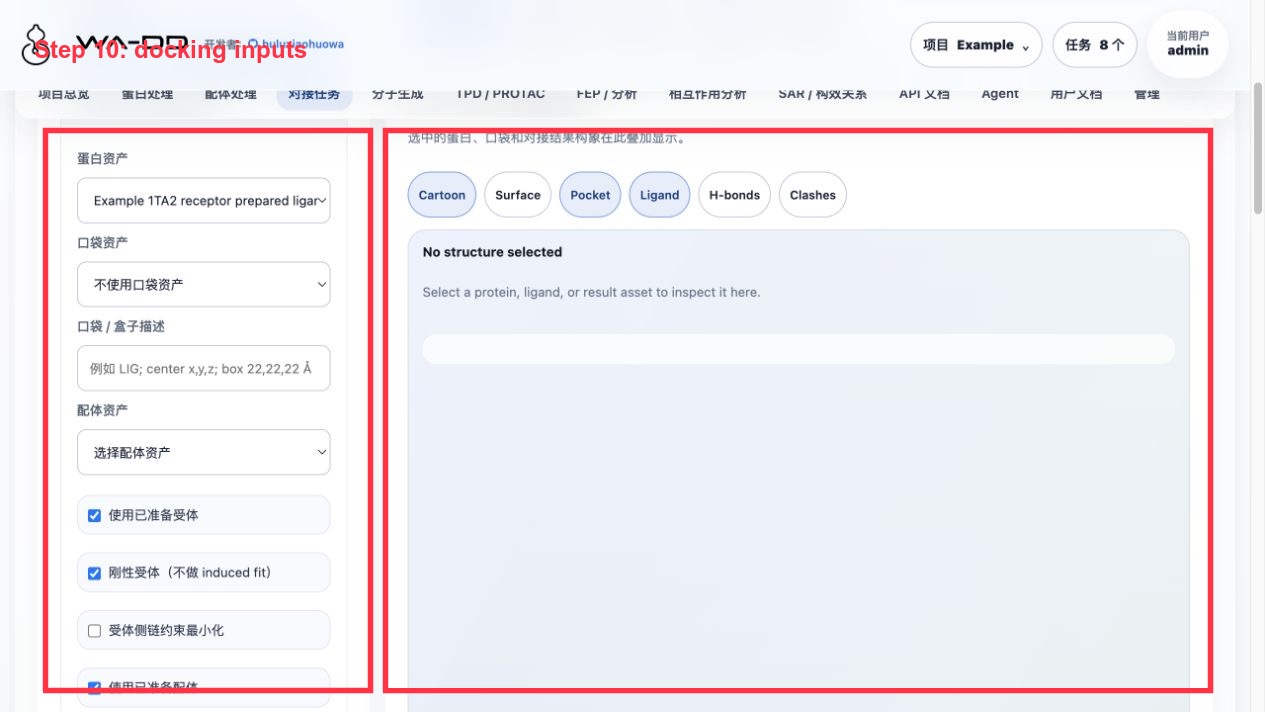
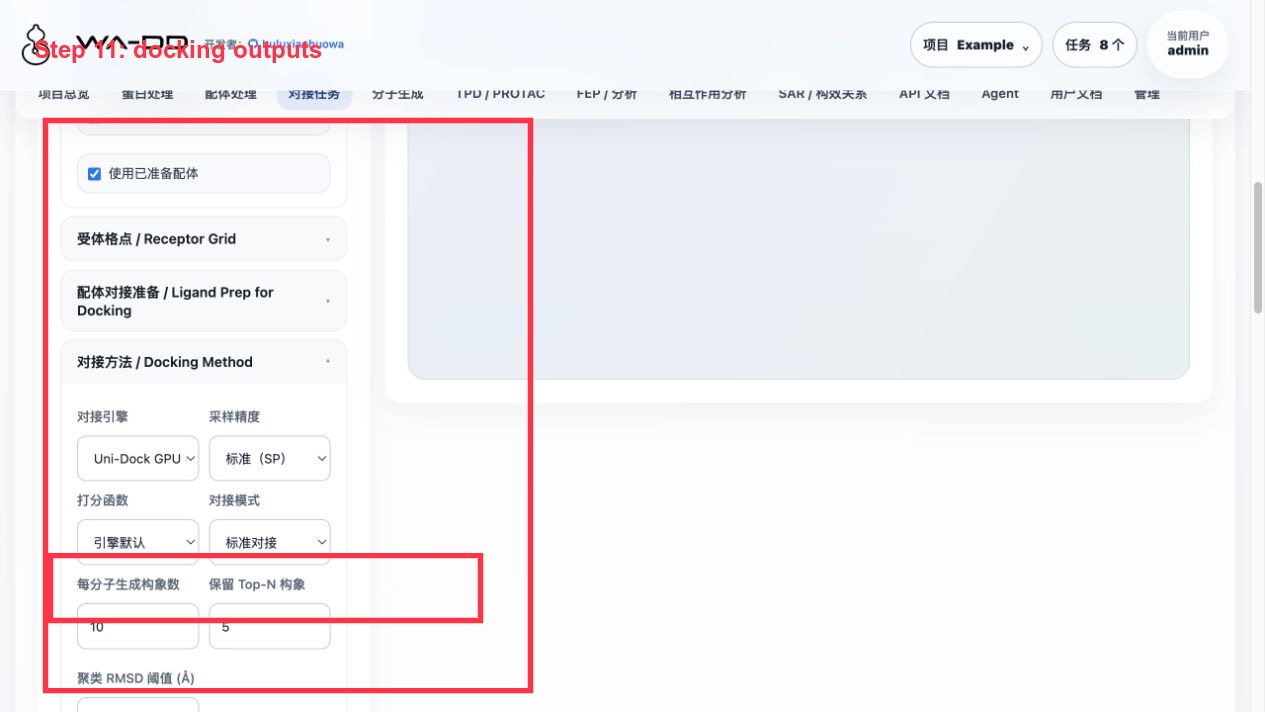
操作要点:
- 蛋白选择
Example 1TA2 receptor prepared ligand-removed。 - 口袋选择
Example 1TA2 176 binding pocket。 - 配体库可以选择:
Example 1TA2 congeneric 72 analog library prepared for dockingExample 1TA2 PocketXMol de novo generated ligands- 对接方法选择 Uni-Dock;本例使用
pose_per_ligand=3、keep_top_poses=1、cpu_threads=4、GPU 设备cuda:0。 - 任务完成后使用:
查看报表 · N poses:打开 pose 表,按 docking score 查看排名。分析构象库 · N poses:把本次任务的合并 SDF 自动载入相互作用分析页面。
本次验证输出:
- 同系物库:66 个输入配体,194 个 pose,失败/跳过 0 个;pose library 资产为
Example 1TA2 congeneric Uni-Dock screening result docked pose library。 - de novo 生成物:23 个输入配体,69 个 pose,失败/跳过 0 个;pose library 资产为
Example 1TA2 PocketXMol de novo Uni-Dock result docked pose library。
结果解读:
- docking score 越负通常表示 Vina 评分越好,但它不是实验结合自由能。
- 一组任务只输出一个合并 SDF,不再把每个 pose 拆成一堆资产;要比较好坏,应在 pose 表或相互作用分析里按 score 排序、单选/多选查看。
- 如果
查看报表没反应或报错,优先检查任务是否已产生unidock_pose_table.csv和unidock_docked_poses.sdf;这两个文件是报表和 3D 分析的来源。