GROMACS / MD
Role
The GROMACS / MD page submits CUDA-accelerated molecular dynamics jobs and stores the full input parameters, command stream, logs, trajectory structures, and paper-style analysis figures as WA-DD task assets. It supports energy minimization, NVT, NPT, production MD, aMD, Metadynamics, Umbrella, binding-stability analysis, cryptic-pocket discovery, trajectory post-processing, and custom command streams.
Quick Tutorial: Short MD Result Rendering Loop
The example below was completed on server6 in the Example project. The task ID was 677e3a02, and the output asset was ba4fc848. This short flow validates UI interaction, worker execution, output registration, and result rendering. It generates representative structures and common curves, but it is not a replacement for production scientific MD.
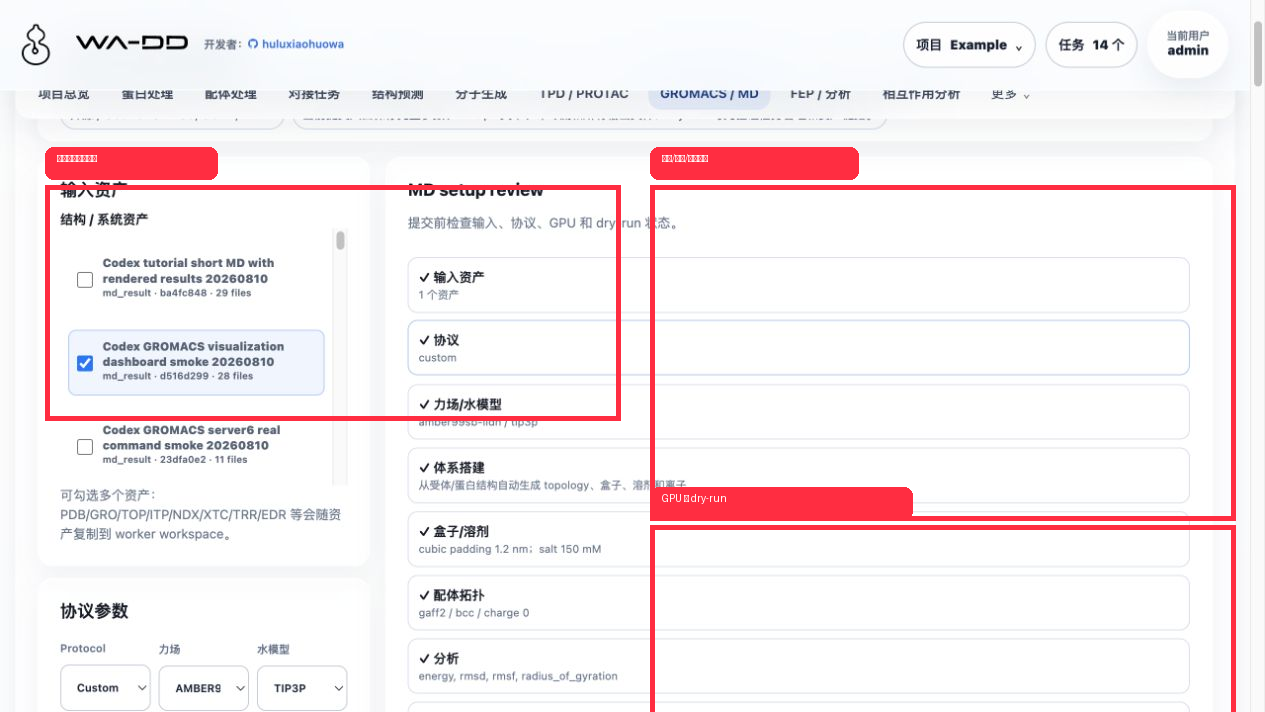
- Open
GROMACS / MD. - In
Structure / system assets, check one or more input assets. Each asset has its own checkbox, so users do not need system multi-select shortcuts. - Set
ProtocoltoCustom commands. - Clear
dry-runso the worker actually executes the command stream. - Set GPU mode to automatic or single GPU. For a single GPU, enter
0,1, or0,1inGPU ID.
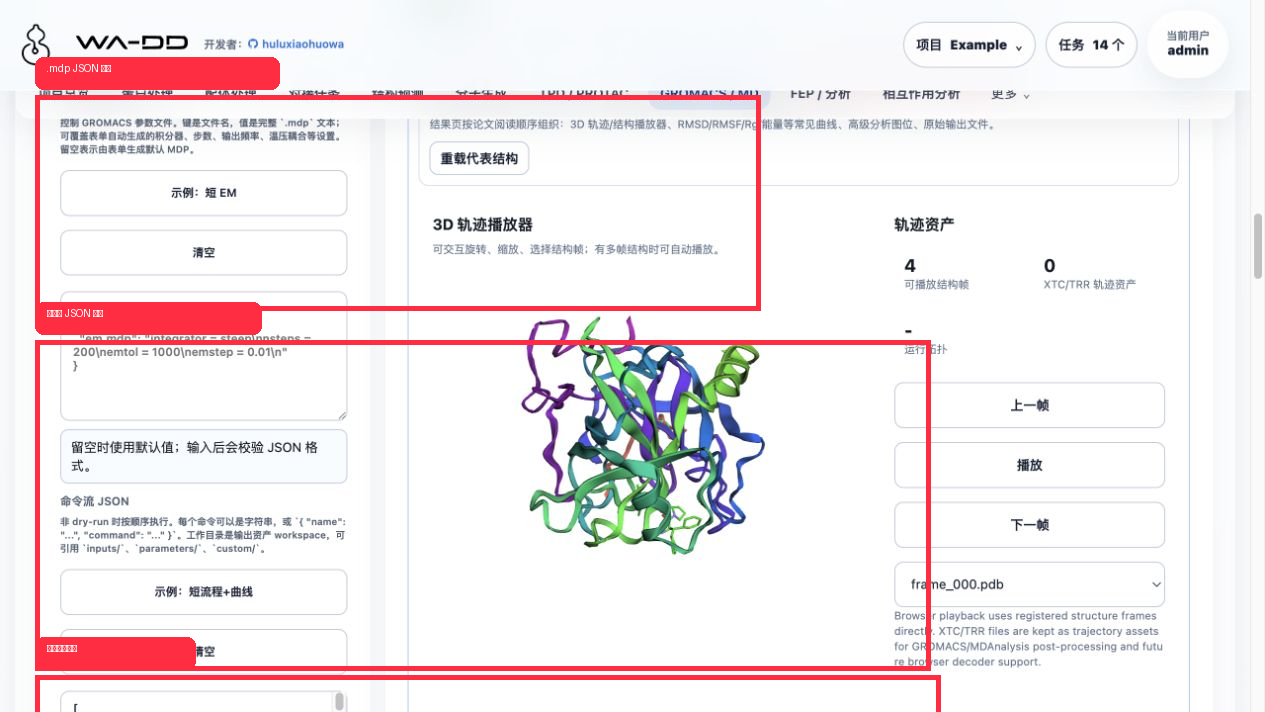
The advanced editor accepts three JSON fields:
.mdpfiles JSON: keys are filenames, values are complete.mdptext. This controls integrator, steps, output frequency, temperature/pressure coupling, and other GROMACS parameters.- Command JSON: commands run one by one when dry-run is off. Each item can be a string or
{ "name": "...", "command": "..." }. - Extra text files JSON: writes helper files under
custom/, such as PLUMED files, index notes, selection scripts, or custom configs.
Click Example: short flow + curves to insert a ready-to-run command stream. Invalid input shows a validation message below the field; valid input shows JSON 格式正确。
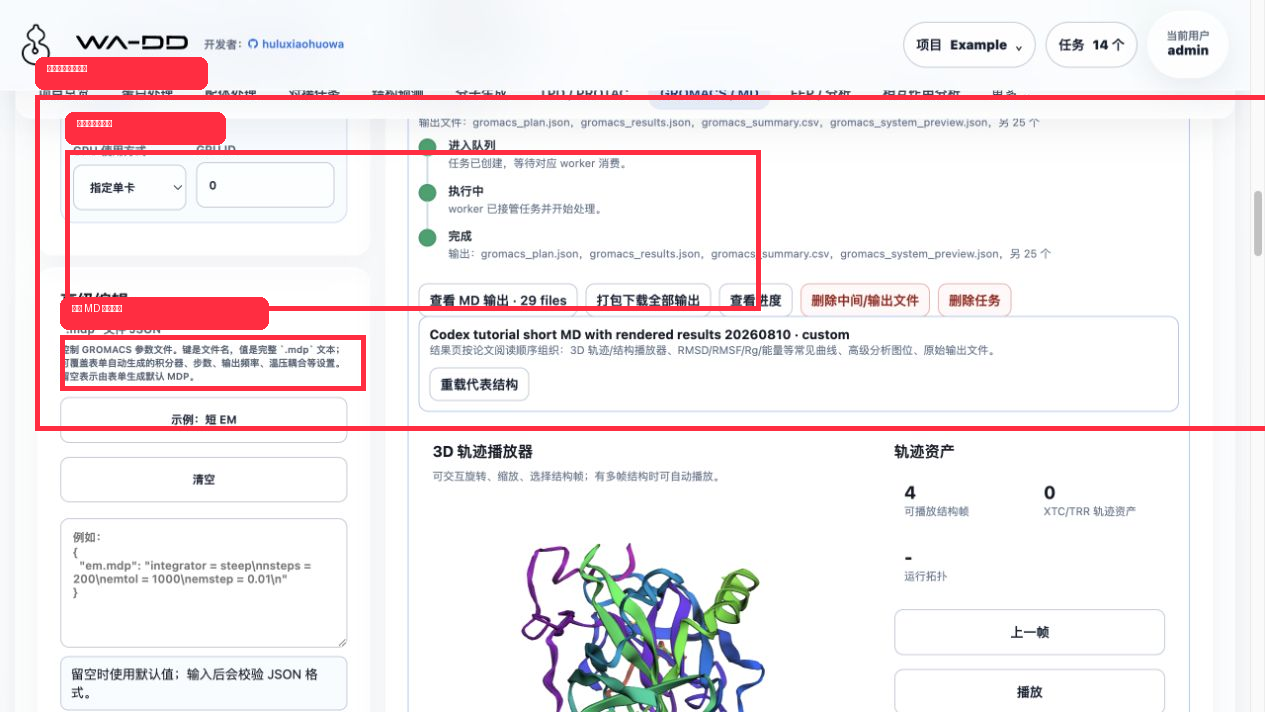
After submission, the task card shows queued / running / completed events. Once completed, click View MD output in the current task card. The result expands directly under that task, not at the bottom of the page.
This validation task produced 29 files, including gromacs_plan.json, gromacs_results.json, gromacs_summary.csv, gromacs_system_preview.json, representative structure frames, and .xvg/.csv analysis curves.
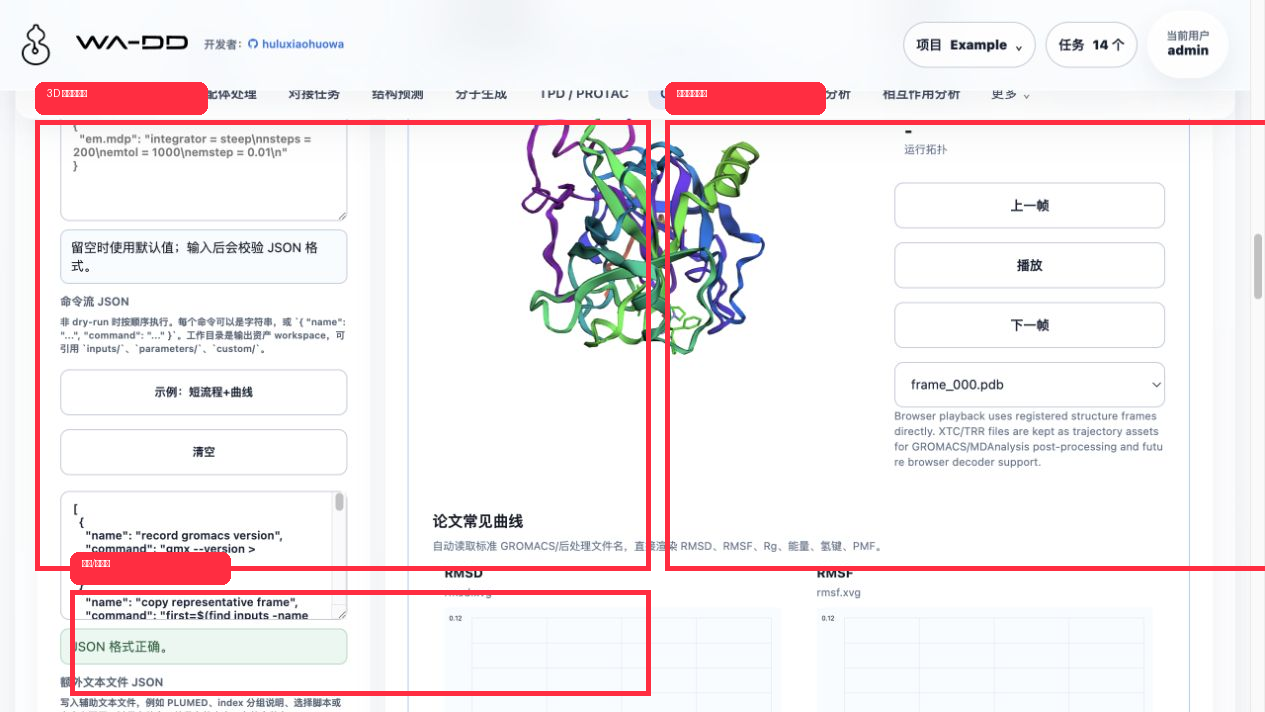
The result page follows a paper-reading order:
- 3D trajectory player: loads
.pdb/.gro/.cifrepresentative structures and supports rotation, zoom, frame switching, and playback. - Common paper figures: automatically detects and renders
rmsd.xvg,rmsf.xvg,gyrate.xvg,energy.xvg,hbond.xvg, and related files. - Each curve offers raw data download and source preview.
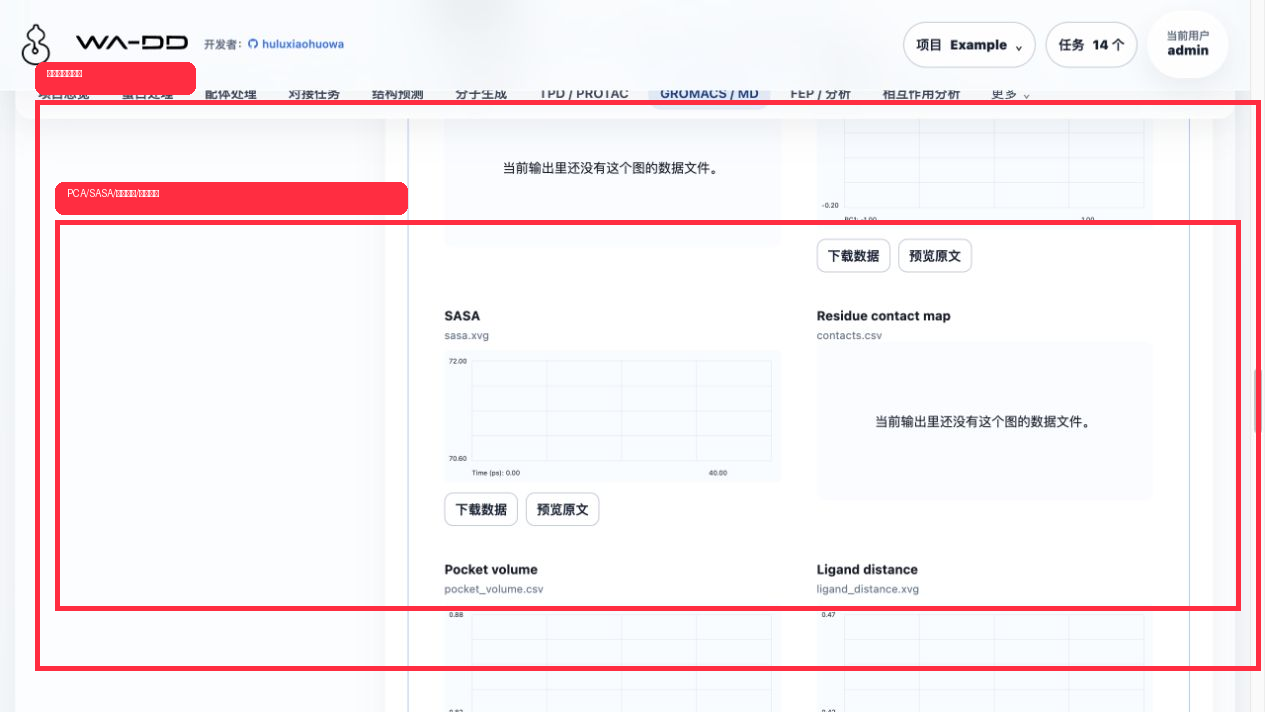
The advanced analysis section automatically detects PCA/FEL, SASA, pocket volume, ligand distance, contact maps, and cluster maps. This example rendered pca.xvg, sasa.xvg, pocket_volume.csv, and ligand_distance.xvg.
GPU Observation
During this short command-stream task, the server6 GROMACS worker container was wa-dd-wa-dd-gromacs-worker-amd-1, using wa-dd-gromacs:amd_cu128_20260810. nvidia-smi sampling showed GPU 0/1 visible, while utilization stayed at 0% and memory remained at the baseline, about 496 MiB / 18 MiB.
That is expected for this tutorial job: it validates UI and rendering, calls gmx --version, and writes short curves/representative structures. It does not run a long gmx mdrun -nb gpu -pme gpu -bonded gpu -update gpu workload. A production MD or benchmark run should show clear CUDA load in worker logs and GPU sampling.
Starting From Ligand / Receptor Assets
- Receptor-only MD: select a
.pdb/.groasset from protein preparation or upload. The default auto-preparation option generates topology, box, solvent, and ions. - Parameterized complex MD: select the complex structure and matching
.top/.itp/.prmassets. WA-DD then builds thegrompp/mdrunpath directly. - Unparameterized ligand: selecting
.sdf/.mol2ligand assets keeps automatic ligand topology enabled by default. The worker uses OpenBabel/ACPYPE to generate.itp/.groand registers them into the same MD output asset. - Trajectory analysis: select
.xtc/.trr, preferably with the matching.tprand.edr; the page previews RMSD/RMSF/energy analysis commands.
Outputs
- Trajectory:
.xtc,.trr - Energy:
.edr - Analysis:
.xvg,.csv,.json,.xpm - Structure:
.gro,.pdb,.cif - Checkpoint:
.cpt - Parameters:
.mdp,.top,.itp,.ndx,.tpr - Logs:
.log,.txt
.xvg, .csv, .json, and log files can be previewed in the page. .xvg/.csv files render lightweight curves. When representative .gro/.pdb/.cif structures exist, the output detail opens an interactive 3D preview.